
AI assistants are no longer a futuristic novelty; they are a fundamental part of modern productivity. In the race for AI supremacy, two names stand above all others: ChatGPT, the revolutionary tool from OpenAI that started it all, and Microsoft Copilot, the powerful challenger deeply integrated into the world’s most popular operating system. With both offering incredible capabilities, a crucial question arises: what’s the actual difference, and which one should you be using? This in-depth comparison will break down their features, underlying technology, and ideal use cases to declare a winner for every type of user.
The Surprising Relationship: They’re Family
The most common point of confusion in the Copilot vs. ChatGPT debate is their underlying connection. The key thing to understand is that they are not true rivals; they are part of the same family. Microsoft is a major investor in OpenAI, and as a result, Microsoft Copilot is powered by OpenAI’s cutting-edge models, including GPT-4 and DALL-E 3.
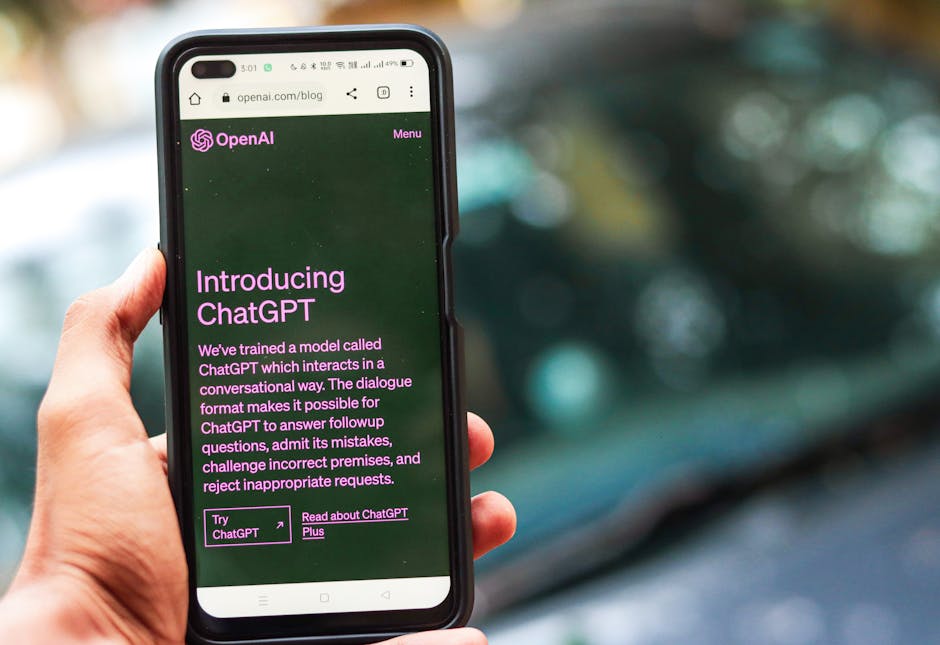
The real difference isn’t the core “brain,” but the implementation, integration, and access to data. ChatGPT offers a pure, standalone, conversational AI experience. Copilot takes that same powerful brain and integrates it deeply into the Microsoft ecosystem (Windows, Office, Edge) while connecting it to the live internet via its Bing search engine.
Feature Breakdown: A Head-to-Head Battle

1. Access to Real-Time Information
Copilot: Has free, direct access to the internet through its native integration with the Bing search engine. This is a massive advantage, as it means Copilot’s answers can be based on the most current events, data, and information available online. It will even cite its sources.
ChatGPT: The free version (powered by GPT-3.5) has a knowledge cutoff date and cannot access the live internet. To get real-time information, you must subscribe to the paid ChatGPT Plus plan, which unlocks web browsing capabilities for the more advanced GPT-4 model.
Winner: Copilot. Offering free, real-time data access is a game-changing advantage for everyday use.
2. Ecosystem Integration
Copilot: This is Copilot’s undisputed superpower. It is woven into the fabric of the Microsoft ecosystem. You can summon it directly from the Windows 11 taskbar, use it in the Edge browser sidebar to summarize web pages, or, with a Copilot Pro subscription, use it within Office apps to draft Word documents, create PowerPoint presentations from a prompt, or analyze data in Excel.
ChatGPT: Exists primarily as a web-based interface and standalone mobile apps. While extremely powerful, it operates in its own silo. You must copy and paste information between ChatGPT and your other applications.
Winner: Copilot. The deep, native integration is seamless and provides immense productivity gains.
3. Image Generation
Copilot: Offers completely free access to AI image generation using OpenAI’s latest and most powerful model, DALL-E 3. The quality is exceptional, and the ability to create stunning images from a simple text prompt at no cost is a huge benefit.
ChatGPT: Access to image generation with DALL-E 3 is a premium feature, available only to paid subscribers of the ChatGPT Plus plan.
Winner: Copilot. It provides a premium, high-demand feature to all users for free. For a deeper look at AI art tools, see our comparison: Midjourney vs DALL·E vs Firefly.
4. Cost and Pricing Tiers
Copilot: The free version of Copilot is incredibly powerful, offering access to the GPT-4 model (during non-peak times), internet access, and DALL-E 3 image generation. The paid “Copilot Pro” plan ensures priority access to GPT-4 and unlocks the powerful integration features within Office apps.
ChatGPT: The free version is excellent for basic tasks but runs on the older, less powerful GPT-3.5 model. The “ChatGPT Plus” subscription is required to unlock the more advanced GPT-4 model, web browsing, DALL-E 3, and other features like creating custom GPTs.
Winner: Copilot. The value provided in its free tier is currently unmatched.
5. The User Experience
Copilot: The experience is designed to be “assistant-like.” It feels like a tool you call upon within your workflow to perform a specific task—summarize this, create that, find this information. It’s task-oriented.
ChatGPT: The experience is a pure, open-ended conversation. It’s a blank canvas, which many users find superior for creative brainstorming, complex problem-solving, and iterative, multi-step prompting where the context of a long conversation is key.
Winner: Tie. This is entirely a matter of user preference and the nature of the task. Mastering the conversation is key. Learn how in our guide to Prompt Engineering: The Most In-Demand Skill of the Future.
Copilot vs. ChatGPT at a Glance
| Feature | Microsoft Copilot | ChatGPT |
|---|---|---|
| Core AI Model | GPT-4, GPT-4 Turbo | GPT-3.5 (Free), GPT-4 (Plus) |
| Internet Access (Free) | ✔ (via Bing) | ✖ |
| Image Generation (Free) | ✔ (DALL-E 3) | ✖ |
| Office Integration | ✔ (with Copilot Pro) | ✖ |
| Price (Base) | Free | Free |
| Best For | Productivity & Real-Time Info | Creative & In-Depth Tasks |
Who Should Choose Microsoft Copilot?

Copilot is the ideal choice for the vast majority of everyday users, especially those embedded in the Windows and Microsoft 365 ecosystem. If you want an AI assistant to help you do things—get quick, up-to-date answers, summarize web pages, draft emails, or create images without leaving your workflow—Copilot is the clear winner. Its seamless integration and free access to premium features make it a productivity powerhouse.
Who Should Choose ChatGPT?
ChatGPT remains the top choice for writers, developers, researchers, and creatives who value a pure, powerful, and unconstrained conversational environment. If your work involves deep brainstorming, creative writing, complex coding problems, or nuanced, multi-step conversations, ChatGPT’s focused, blank-canvas interface is often superior. It excels as a dedicated space for deep thought and creation.
Frequently Asked Questions (FAQ)
Is Copilot just “ChatGPT with a Microsoft logo”?
Not exactly. While it uses the same core AI from OpenAI, Copilot’s integration with Bing search and the Microsoft ecosystem makes it a distinct product focused on real-time, contextual productivity.
Which one is better for writing code?
Both are excellent. ChatGPT is often preferred for generating and debugging large blocks of code in a conversational format. Copilot, especially in the form of GitHub Copilot, is better for real-time, in-line code completion directly within your code editor.
Is my data safe when using Copilot or ChatGPT?
Both companies have privacy policies in place, but you should always be cautious about inputting sensitive personal or proprietary information into any public AI model. For enterprise use, Microsoft offers a more secure “Copilot for Microsoft 365” with enhanced data protection.
Do I need to pay for Copilot Pro if I already have ChatGPT Plus?
Probably not. The core benefits of both paid plans are priority access to GPT-4 and other advanced features. The main reason to get Copilot Pro is if you desperately want the AI features integrated directly within Office apps like Word, Excel, and PowerPoint.
The Verdict: The Right Tool for the Right Task
The winner of this AI showdown depends entirely on your needs. The battle isn’t about which AI is “smarter”—they are powered by the same intelligence—but about which is more useful for your specific workflow.
- For Everyday Productivity, Quick Answers, and Integrated Tasks: Microsoft Copilot is the decisive winner. Its seamless integration and free access to premium features are unbeatable for the average user.
- For Creative Ideation, Deep Conversations, and Focused Tasks: ChatGPT still holds the crown for its powerful, unconstrained, and dedicated conversational interface.