
Apple’s custom M-series chips have completely redefined laptop performance, blending incredible power with remarkable efficiency. But with each new generation, a critical question arises for consumers: is the latest and greatest technology truly worth the extra cost? You’re in the market for a new MacBook Pro, a significant investment. Should you save potentially hundreds of dollars by choosing a still-powerful M2 model, or is it essential to splurge on the new M3? This guide will provide a clear, no-nonsense comparison of the M2 and M3 MacBook Pro models, focusing on real-world performance, features, and value to help you make the right decision.
If you’re deciding on a new development machine, this is a critical question. For a broader look at your options, see our guide to the Best Laptops for Programming & Coding in 2025.
The M3 Chip: What’s New Under the Hood?
To understand the difference, we need to look at the core technology. The M3 family of chips represents an architectural evolution from the M2.
The 3-Nanometer Difference: The most significant change is that the M3 is built on a more advanced 3-nanometer (3nm) process, compared to the 5nm process of the M2. In simple terms, this allows Apple to pack more transistors into a smaller space, leading to simultaneous improvements in performance and power efficiency.
Dynamic Caching and the GPU: The biggest architectural leap is in the Graphics Processing Unit (GPU). The M3 introduces “Dynamic Caching,” which allows the GPU to allocate the exact amount of memory needed for a task in real-time. This, combined with new features like hardware-accelerated ray tracing and mesh shading, makes the M3’s GPU significantly more powerful and efficient, a change aimed squarely at professional 3D artists and gamers.
The CPU: An Incremental, Not Revolutionary, Leap: While the M3’s CPU performance cores are faster than the M2’s (by about 15-20%), this is an evolutionary step. For most day-to-day tasks, this difference is noticeable in benchmarks but may not feel like a night-and-day change in real-world use.
Head-to-Head Comparison: Real-World Performance

For the Everyday User (Web Browsing, Office Apps, Streaming)
Analysis: For tasks like browsing the web (even with many tabs open), writing documents, answering emails, and streaming 4K video, the performance difference between an M2 and M3 MacBook Pro is practically zero. Both chips are so powerful that they handle these tasks with ease, never breaking a sweat.
Verdict: Not worth the upgrade. An M2 MacBook Pro will feel just as instantaneous for these activities.
For the Programmer / Developer
Analysis: This is where things get more nuanced. The faster CPU cores on the M3 will result in quicker code compilation times. A large project that takes 10 minutes to compile on an M2 Pro might take around 8 to 8.5 minutes on an M3 Pro. This is a tangible, measurable improvement that can add up over a long workday.
Verdict: A nice-to-have, but not essential for most. If your income is directly tied to how fast you can build and test code, the M3 is a justifiable expense. For students or most professional developers, the M2 Pro is still a development powerhouse.
For the Video Editor
Analysis: The more efficient and powerful media engine in the M3 chip provides a noticeable boost in video editing workflows. You can expect faster export times, especially with high-resolution codecs like ProRes, and smoother timeline scrubbing with multiple 4K video layers.
Verdict: Worth considering for professional video editors. The time saved on exports over the course of a year could easily justify the price difference.
For a look at the best software to pair with your machine, see our Top Free and Paid Video Editing Software guide.
For the 3D Artist and Gamer
Analysis: This is the group that will see the most dramatic benefit. The M3’s new GPU architecture with hardware-accelerated ray tracing is a game-changer for 3D rendering applications like Blender and Cinema 4D, and for games that support it. The visual quality and performance in these specific tasks are a full generational leap ahead of the M2.
Verdict: Absolutely worth the upgrade. If your work or hobby involves 3D rendering or serious gaming, the M3 is the chip you want.
What About the Rest of the Laptop?
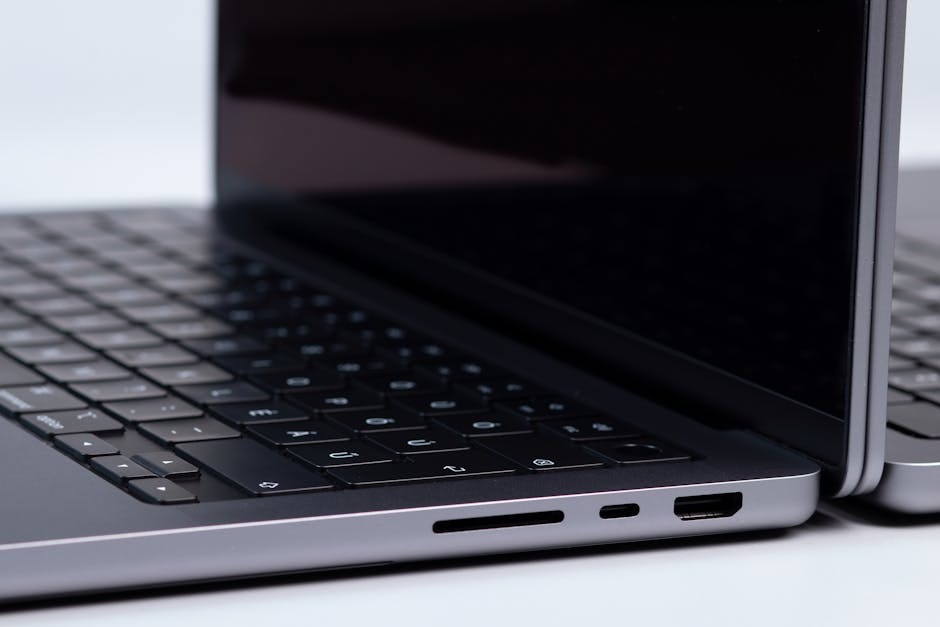
It’s crucial to remember that the chip is only one part of the package. For the 14-inch and 16-inch models, the physical laptop—the world-class Liquid Retina XDR display, the fantastic keyboard and trackpad, the port selection, and the overall chassis—is virtually identical between the M2 Pro/Max and M3 Pro/Max generations. The only minor cosmetic difference is the introduction of a new “Space Black” color option for the M3 Pro and M3 Max models, which is designed to be more fingerprint-resistant.
M2 Pro vs. M3 Pro: A Quick Look
| Feature | M2 Pro | M3 Pro |
|---|---|---|
| Architecture | 5nm | 3nm |
| CPU Performance | Excellent | ~15-20% Faster |
| GPU Performance | Excellent | Significantly Faster |
| Key New Feature | – | Dynamic Caching, Ray Tracing |
| Battery Life | Excellent | Slightly Better |
| Best For | Most Users, Value | 3D Artists, Gamers |
Who Should Buy the M3 MacBook Pro?
- The Power User: 3D artists, professional video editors, and gamers who will directly benefit from the new GPU architecture.
- The “Future-Proofer”: Anyone who wants the absolute latest technology and plans to keep their laptop for 5+ years.
- The Color-Conscious: Those who simply must have the new Space Black finish.
Who Should Save Money with the M2 MacBook Pro?

- The Vast Majority of Users: For most developers, writers, students, and business professionals, the M2 Pro chip is already phenomenally powerful and will handle their workflows with ease for years to come.
- The Budget-Conscious Buyer: You can often find official Apple refurbished M2 MacBook Pro models at a significant discount, offering incredible value for money.
Frequently Asked Questions (FAQ)
Is the base M3 chip (in the entry-level MacBook Pro) better than the M2 Pro?
No. This is a key point of confusion. The M2 Pro chip is significantly more powerful than the base M3 chip, as it has more performance cores and a wider memory bandwidth. Don’t be fooled by the number; the “Pro” designation matters more.
Will the M3 have better battery life than the M2?
Marginally, yes. The 3nm architecture is more power-efficient, so while performing the same task, the M3 will use slightly less power, leading to moderately better battery life. However, the battery life on the M2 models is already so good that this is not a major reason to upgrade.
Should I upgrade from an Intel-based MacBook?
Yes, absolutely. The performance, efficiency, and thermal improvements of any Apple Silicon chip (M1, M2, or M3) over the older Intel-based MacBooks are monumental. This is a night-and-day upgrade.
Where can I find the best deals on M2 MacBook Pro models?
The best place to look is the official Apple Refurbished Store online. These products are indistinguishable from new, come with a full warranty, and are often available at a 15-20% discount.
The Verdict: An Evolutionary Step, Not a Revolutionary Leap

The M3 MacBook Pro is an outstanding machine and the most powerful laptop Apple has ever created. However, for most users, it represents an evolutionary, incremental improvement over the already-excellent M2 generation. The decision to upgrade should be based on a clear understanding of your specific workflow.
- For Most People: Find a discounted or refurbished M2 MacBook Pro. The performance is still incredible for all but the most demanding tasks, and you will save a significant amount of money.
- If You’re a 3D Professional or Hardcore Gamer: The GPU improvements in the M3 MacBook Pro are substantial and make the upgrade a logical and worthwhile investment.