
As a freelancer or entrepreneur, your phone is more than just a communication device; it’s your mobile office. The ability to manage clients, track projects, send invoices, and market your business from anywhere is not a luxury—it’s a necessity. But with millions of apps on the Google Play Store, it’s easy to get overwhelmed. You need a curated toolkit of applications that are reliable, professional, and designed to solve the specific problems that solo business owners face. This guide highlights the essential Android apps that will help you stay productive and manage your business, no matter where you are.
Finance and Invoicing
1. QuickBooks Self-Employed
Designed specifically for freelancers and independent contractors, this app is a lifesaver for managing your business finances. It allows you to easily track your income, categorize business expenses by simply swiping left or right on transactions, and automatically track your mileage for tax deductions. Its most powerful feature is its ability to estimate your quarterly taxes, so you’re never caught by surprise.
Best For: Any freelancer or solo entrepreneur in the US who needs to manage their finances and prepare for tax season.
2. Stripe
If you use Stripe to accept payments online, their mobile app is a must-have. It gives you a real-time dashboard of your business’s financial health, allowing you to see payments as they come in. You can also use the app to issue refunds, manage subscriptions, and even create and send a simple invoice or payment link directly to a client from your phone.
Best For: Any business owner who uses the Stripe payment gateway.
Time Tracking and Project Management

3. Toggl Track
For freelancers who bill by the hour, accurate time tracking is non-negotiable. Toggl Track is beloved for its simplicity. With a single tap, you can start a timer for a specific client and project. Its clean interface and powerful reporting make it easy to see exactly where your time is going, ensuring you get paid for every billable minute.
Best For: Freelancers who need a quick, simple, and no-fuss way to track their time accurately.
For a full breakdown of time trackers, see our guide to the Time Tracking Apps for Freelancers You’ll Actually Use.
4. Trello
Trello’s visual, card-based Kanban system is perfect for managing projects on a mobile device. The Android app is excellent, allowing you to get a quick overview of your project boards, drag and drop tasks between stages (e.g., “To Do,” “In Progress,” “Done”), and collaborate with clients or team members by leaving comments and attachments on cards.
Best For: Visual project management and tracking the status of multiple projects on the go.
Document Management and Communication
5. Microsoft Lens
This free app is an essential tool for digitizing the physical world. Use it to create clean, high-quality scans of receipts for expense tracking, signed contracts from clients, or whiteboard notes from a meeting. It automatically straightens and crops the image, making it look like a proper scan, not just a photo.
Best For: Turning any physical document into a clean, digital PDF to save or send.
6. Slack
Email is not always the most efficient way to communicate. Slack allows you to create dedicated channels for different clients or projects, keeping conversations organized and out of your cluttered inbox. The Android app is full-featured, allowing you to stay in touch with clients and collaborators from anywhere.
Best For: Quick, organized communication with clients and team members.
7. Google Voice
Using your personal phone number for business can be a major privacy concern. Google Voice provides a free, separate business phone number that works on your existing smartphone. You can make and receive calls and texts with your business number, set “do not disturb” hours, and keep your personal number private.
Best For: Freelancers who want to separate their business and personal calls without the expense of a second phone line.
Content Creation and Social Media
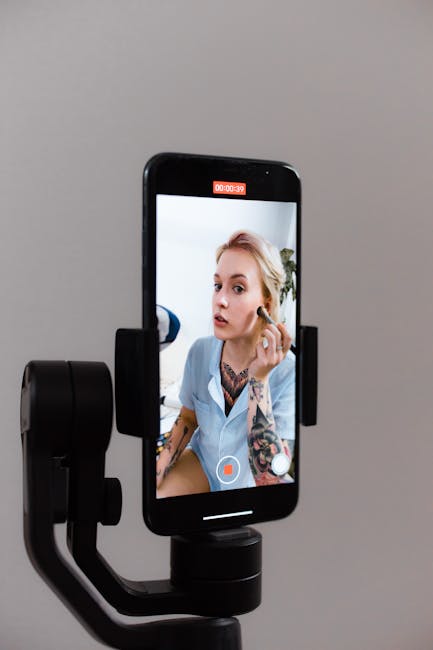
8. Canva
Canva’s mobile app is surprisingly powerful and makes it easy to create professional-looking graphics on the go. Whether you need a quick Instagram story, a thumbnail for a YouTube video, or a simple PDF proposal, Canva has thousands of templates that you can quickly customize and export directly from your phone.
Best For: Creating quick, professional graphics for social media, ads, or marketing materials.
9. Buffer
Managing a consistent social media presence is crucial for many businesses. The Buffer app allows you to schedule your social media content in advance and manage your accounts from anywhere. You can quickly add new articles or images to your queue, check your post analytics, and engage with your audience.
Best For: Managing and scheduling your business’s social media presence from your phone.
10. CapCut
Short-form video is king on platforms like Instagram Reels, TikTok, and YouTube Shorts. CapCut is a powerful and easy-to-use mobile video editor that is perfect for creating this type of content. It makes it simple to add text, use trending audio, and create engaging videos to market your business.
Best For: Creating short-form video content for social media marketing.
For more advanced editing, see our guide to the Top Free and Paid Video Editing Software.
The Freelancer’s App Toolkit
| App | Category | Key Function |
|---|---|---|
| QuickBooks | Finance | Track Expenses & Taxes |
| Stripe | Finance | Accept & Manage Payments |
| Toggl Track | Productivity | Track Billable Hours |
| Trello | Productivity | Manage Project Workflows |
| Microsoft Lens | Documents | Scan Receipts & Contracts |
| Slack | Communication | Organize Client Chat |
| Google Voice | Communication | Separate Business Phone Line |
| Canva | Marketing | Create Social Graphics |
| Buffer | Marketing | Schedule Social Posts |
| CapCut | Marketing | Edit Short-Form Video |
The Verdict: Your Office in Your Pocket

With the right suite of apps, your Android phone transforms from a simple communication device into a powerful mobile office. The most successful freelancers don’t rely on a single “magic” app, but instead build a personalized toolkit of applications that work together to solve real-world business problems. By choosing a few key apps from this list, you can create a powerful system to manage your business, stay productive, and maintain a professional image, no matter where your work takes you.