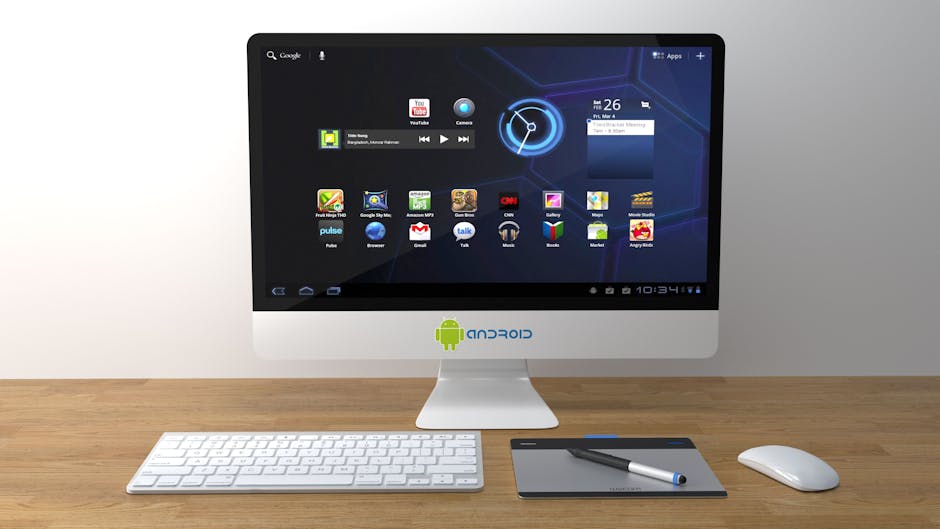
Your Android phone is a supercomputer that fits in your pocket. But for many, it’s more of a distraction machine than a productivity tool. With the right applications, however, you can transform your phone from a source of procrastination into a powerful hub for getting real work done. The problem is that the Google Play Store has millions of apps, with thousands claiming they will make you more productive. Which ones actually deliver? This guide cuts through the clutter to present a curated list of the 10 best Android apps that will genuinely help you manage your tasks, organize your thoughts, and automate your life.
The All-in-One “Second Brain”
1. Notion
Notion is more than just a note-taking app; it’s a complete, all-in-one workspace that can organize your entire life. It combines notes, tasks, wikis, and databases into one incredibly flexible and powerful tool. You can use it to manage complex team projects, take detailed meeting notes, track your personal habits, and build a “second brain”—a personal knowledge base of everything you’re learning. The Android app is fast, works great offline, and syncs perfectly with the desktop version.
Best For: Power users, students, and anyone who wants a single, powerful app to organize their work and personal life.
For a deep dive on how Notion stacks up against a classic, see our Notion vs Evernote for Mobile comparison.
Task and Project Management

2. Todoist
Todoist is the undisputed king of task management. It achieves a perfect balance between simplicity and power. Its best feature is its natural language input; you can simply type “Write a new blog post every Friday at 10am #Work” and Todoist will automatically create a recurring task with the correct date and project. The interface is clean, fast, and helps you focus on what needs to get done next.
Best For: Anyone, from students to executives, who needs a powerful yet simple to-do list manager.
3. Trello
Trello uses a visual, card-based system called Kanban to help you manage projects. You create boards for your projects, lists for your stages (e.g., To Do, Doing, Done), and cards for your tasks. This visual approach is perfect for tracking the progress of multi-step projects and is a fantastic tool for collaborating with a team.
Best For: Visual thinkers, team projects, and anyone managing a workflow with multiple stages.
For a full comparison of project management tools, see our guide: Asana vs Trello vs Notion.
Note-Taking and Document Scanning
4. Evernote
Evernote is the original digital filing cabinet, designed to capture everything. It’s a powerful tool for collecting and organizing information from a huge variety of sources. You can type notes, clip web articles, record audio, and even take photos of whiteboards or handwritten notes. Its powerful search can find text inside PDFs and even in the photos you’ve uploaded, making it an incredible research tool.
Best For: Researchers, students, and anyone who needs to capture and organize information from diverse sources.
5. Microsoft Lens
This simple, free app from Microsoft is a productivity secret weapon. It turns your phone’s camera into a high-quality document scanner. It automatically finds the edges of a document, straightens it, and removes glare. You can save your scans as PDFs, JPEGs, or even import them directly into Microsoft Word or OneNote with the text already recognized (OCR).
Best For: Anyone who needs to digitize physical documents, receipts, business cards, or whiteboard notes.
Focus and Automation

6. Tasker
Tasker is the ultimate automation tool for Android power users. It’s a complex but incredibly powerful application that gives you the ability to create “if this, then that” rules to automate almost any aspect of your phone. For example: “If I connect to my office Wi-Fi, then automatically silence my phone’s ringer.” The possibilities are endless, but it has a steep learning curve.
Best For: Tech-savvy users and tinkerers who want complete control over automating their device.
7. IFTTT (If This Then That)
IFTTT is a much simpler, more user-friendly version of Tasker that connects your phone to hundreds of other web services and smart home devices. You can create “applets” that automate tasks between services, like “If I post a photo on Instagram, then automatically save a copy to my Dropbox,” or “If I arrive home, then turn on my smart lights.”
Best For: Beginners who want to get started with simple but powerful automations between their favorite apps and services.
Communication and Files
8. Spark Mail
If your email inbox is a source of stress, Spark can help. It’s a “smart” email client that reimagines how you interact with email. It automatically bundles newsletters and notifications, highlights emails from real people, and allows you to “snooze” messages to deal with them later. It’s designed to help you achieve the elusive “inbox zero.”
Best For: Anyone who feels overwhelmed by the daily flood of emails.
9. Solid Explorer
The default file manager on many Android phones is very basic. Solid Explorer is a powerful, two-pane file manager that makes it easy to manage the files and folders on your device. More importantly, it can connect directly to your cloud storage services like Dropbox, Google Drive, and OneDrive, allowing you to manage all your files, local and cloud, from one central place.
Best For: Power users and anyone who needs to frequently manage files across multiple cloud storage services.
10. AirDroid
AirDroid bridges the gap between your Android phone and your computer (PC or Mac). It allows you to wirelessly transfer files, view and respond to your phone’s notifications, see your text messages, and even mirror your phone’s screen on your desktop. It’s a fantastic tool for creating a seamless workflow between your devices.
Best For: Anyone who wants to create a tighter, more integrated connection between their phone and their computer.
The Verdict: Build Your Productivity Suite
The most productive people don’t rely on a single “magic” app. Instead, they build a personalized suite of high-quality tools that work together to solve specific problems. By choosing a few key apps from this list—one for tasks, one for notes, and one for automation—you can create a powerful system that helps you stay organized, focused, and effective, no matter where you are.
- For All-in-One Task & Note Management: Start with Notion or Todoist.
- For Automating Your Life: Begin with the simple power of IFTTT.
- For Taming Your Inbox: Give Spark Mail a try.